KUCCPS Student Portal Login: Your Complete 2026 Guide to University Placement
To use the kuccps student portal login, visit the official KUCCPS website and click on the “Student Portal” tab. You will need your KCSE index number, the year you sat for your exams, and your password (which is initially your KCPE index number or birth certificate number). The portal is the only official platform for secondary school leavers to apply for government-sponsored placement into universities, TIVET institutions, and colleges across Kenya.
Every year, thousands of Kenyan students finish their KCSE exams with big dreams of joining campus. Whether you want to study Medicine at the University of Nairobi or Engineering at JKUAT, your path starts in one place: the KUCCPS website. In the past, choosing courses was done on paper in school, but today everything is digital.
Navigating the kuccps student portal login can feel stressful. Many students worry about missing deadlines or choosing the wrong codes. If you are a parent or a student, knowing how to use this system is vital for a smooth transition to higher education. Since the government changed the funding model, staying updated on your placement status is the only way to ensure you get the financial support you need.
While you focus on your education and future career, you might also be interested in meeting people who share your ambitions. You can explore the Best Online Dating Platform in kenya to build meaningful connections. For now, let’s make sure your academic future is secure by mastering the KUCCPS portal.
What Is the kuccps student portal login?
The kuccps student portal login is the gateway to the Kenya Universities and Colleges Central Placement Service (KUCCPS). This body is responsible for coordinating the placement of “Government Sponsored” students. The portal allows you to view all available courses, check the cluster points required for each, and submit your choices.
According to data from the Kenya National Bureau of Statistics (KNBS), the number of students qualifying for higher education grows every year. This makes the portal an essential tool for maintaining fairness in how students are distributed across different institutions.
| Feature | Description |
| Course Selection | Choose up to 18 different course options across categories. |
| Cluster Points | View your specific points for different career paths. |
| Institution List | See all public and private universities and TIVETs. |
| Placement Status | Check which university finally accepted your application. |
Why Kenyans Need the kuccps student portal login
Using the portal correctly is the difference between getting your dream course and missing out on a spot entirely. Here is why it matters:
-
Fairness: The system uses an algorithm to place students based on their performance and the capacity of the university.
-
Access to Funding: Being placed through KUCCPS is often a requirement to apply for HELB loans and government scholarships.
-
Information Hub: You can see which courses are “marketable” and which universities offer them.
-
Career Flexibility: If you didn’t get your first choice, the portal allows for “Revision of Courses” during specific windows.
-
Official Records: Reports from Nation Africa show that many students fall victim to fake placement agents. Using the official portal protects you from these scams.
Types or Categories Related to kuccps student portal login
The portal handles different types of students based on their exam results and the level of study they want to pursue.
Degree Applicants
These are students who scored a C+ and above in KCSE. They use the portal to apply for degree programs in both public and private universities.
Diploma and Certificate Applicants
If you scored below a C+, you can still use the portal to join Technical and Vocational Education and Training (TVET) institutions. This includes National Polytechnics and Technical Colleges.
KMTC Applicants
In recent years, the Kenya Medical Training College (KMTC) has also integrated its application process with KUCCPS. Students wanting to study Nursing, Pharmacy, or Clinical Medicine now use this portal for certain intake cycles.
Revision of Courses
This is a specific phase where students who were not placed in their initial choices get a second (or third) chance to pick from the remaining slots in various colleges.
How to Use or Access the kuccps student portal login Correctly
To avoid being “locked out” of the system, you must follow the login instructions exactly as provided by the placement service.
Mandatory Login Checklist:
-
[ ] Index Number: Your full KCSE index number.
-
[ ] Exam Year: The year you completed secondary school (e.g., 2025).
-
[ ] Password: Your KCPE index number or Birth Certificate number as used during KCSE registration.
-
[ ] Internet Security: Use a private device or a trusted cyber café. Never share your password with strangers.
Costs, Requirements, or Timelines in Kenya
The KUCCPS process follows a strict calendar. Missing a deadline can mean waiting an entire year to join college.
| Activity | Estimated Timeline | Cost (Ksh) |
| First Application | February – March | 1,500 |
| First Revision | May – June | 1,000 (if not paid before) |
| Second Revision | July | 0 (for those not placed) |
| Final Placement | August | 0 |
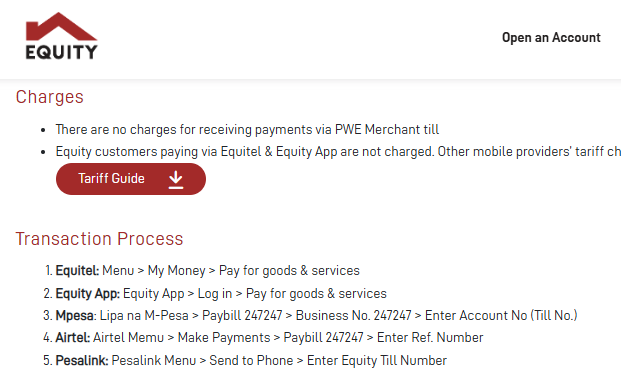
The application fee is paid via M-PESA through the eCitizen Kenya gateway. Always wait for the payment to reflect on the portal before logging out. For the latest updates on deadlines, check the Business Daily Africa education section.
Step-by-Step Guide: How to Get Started
If you are a first-time user, follow these steps to secure your placement.
-
Visit the Portal: Go to the official KUCCPS website and click on the “Student Portal” button.
-
Log In: Enter your KCSE Index Number, Year, and Password.
-
View Your Clusters: Once logged in, go to the “Downloads” or “Cluster Points” section to see what you qualify for.
-
Find Your Course: Use the “Programs” tab to search for courses. Note down the 7-digit Program Code for each course you like.
-
Add to Basket: You can save courses to your “Basket” while you decide.
-
Submit Application: Go to “Application/Revision,” enter the codes in your order of preference, and click submit.
-
Pay the Fee: Follow the M-PESA instructions provided on the screen. Enter the Transaction Code to complete the process.
-
Confirm Submission: Ensure the system says “Application Successful” before closing your browser.
Common Mistakes to Avoid
Even bright students make errors that lead to “missed placement.” Watch out for these:
-
Wrong Password: Many students try to use their “Index Number” as the password. Remember, the password is your KCPE index number or Birth Certificate number.
-
Ignoring Cut-off Points: Don’t apply for a course where your cluster points are lower than the previous year’s cut-off unless you have a very strong reason.
-
Choosing Only One University: The system allows you to pick several universities for the same course. Don’t put all your eggs in one basket.
-
Waiting Until the Last Minute: The portal often crashes on the final day because of high traffic. Apply at least three days before the deadline.
-
Payment Errors: Never pay the fee to a personal mobile number. Only use the official Paybill number provided by the system.
Future Updates or Trends
In 2026, KUCCPS is moving toward a more personalized system. We are seeing a trend where the portal uses AI to suggest courses based on a student’s strengths in specific subjects. There is also a push to make the portal fully mobile-friendly, allowing students in remote areas to apply using basic smartphones.
According to TechCrunch Africa, Kenya is a leader in e-government services. The integration of KUCCPS with other systems like the National Identity database is making the process faster and more secure.
Quick Poll:
Which career field are you most interested in pursuing?
A) Health and Medical Sciences
B) Engineering and Technology
C) Business and Economics
D) Education and Arts
(See the most popular career choice trend in the conclusion!)
FAQ Section
How do I reset my KUCCPS portal password?
If you forget your password, use the “Password Reset” link on the login page. You will need access to the phone number or email address you used during KCSE registration.
Can I change my university after placement?
Yes, but this is done through a process called “Inter-Institutional Transfer.” This happens after the final placement results are out and usually attracts a small fee of around Ksh 1,000.
What if I didn’t reach the C+ grade?
The portal is for everyone. If you have a D+ or C-, you can apply for Diploma and Certificate courses. There is no shame in starting with a certificate and upgrading later.
Why does the portal say “Invalid Credentials”?
This usually means either the index number or the year is wrong. Ensure you don’t include the school code twice if the system only asks for the last part of the number.
My Experience
When I sat for my exams years ago, I didn’t understand how cluster points worked. I applied for a very competitive course at a top university because all my friends were doing it. When the results came out, I wasn’t placed anywhere. I was devastated.
I had to wait for the “First Revision” window. This time, I logged into the kuccps student portal login and actually looked at the data. I saw that my points were a better match for a different university. I revised my choices, and a month later, I got my admission letter. My lesson was simple: don’t follow the crowd. Use the portal to find the path that actually fits your results.
Key Takeaways
-
The kuccps student portal login is the only way to get government-sponsored placement.
-
Use your KCPE index number as your initial password.
-
Pay attention to the “Cluster Points” to increase your chances of being picked.
-
Always complete your application at least 72 hours before the deadline.
-
Keep your m-pesa transaction code safe until your application is confirmed.
Conclusion
The journey to your future career is an exciting one, but it requires careful planning. The kuccps student portal login is designed to make this journey fair and accessible for every Kenyan child, regardless of where they come from. By following the steps in this guide, you can avoid the common traps that lead to disappointment.
Remember, your grade does not define your entire life, but your choices on this portal will define your next four years. Take the time to research courses, talk to teachers, and use the system wisely.
Did you find this guide helpful? Do you have any questions about the current application cycle? Leave a comment below or share your experience with the portal. We would love to hear from you!
Sources and References
-
KUCCPS Official Website – The primary source for placement news.
-
Kenya National Bureau of Statistics (KNBS) – Data on education trends in Kenya.
-
Nation Africa Education News – Updates on university intakes.
-
Business Daily Africa – Reports on the new higher education funding model.
-
eCitizen Kenya – The official payment gateway for government services.
Poll Result Trend: Currently, Engineering and Technology (B) and Health Sciences (A) are the most searched and applied for categories on the student portal in 2026.
Quiz Answer: You only pay the application fee once during the first application or revision. Subsequent revisions for those not placed are free.