KCA Virtual Campus: The Complete Guide to Login, Courses, and Online Learning
We have all been there. You are stuck in a matatu on Thika Road, the traffic is not moving, and you have a class starting in fifteen minutes. In the past, this meant missing a lecture or arriving late to a cold stare from the lecturer. Today, education in Kenya has moved beyond the physical walls of the Ruaraka campus.
The kca virtual campus has changed the game for thousands of students. It allows you to study from your house in Kitengela, your office in Upper Hill, or even while traveling upcountry. This digital platform is not just a backup for when you cannot make it to class; it is a powerful tool designed to make your degree journey smoother.
Whether you are a new student trying to find your way or a parent wondering how your child is studying from home, this guide covers everything. We will look at how to navigate the portal, what you need to get started, and how to avoid common technical hitches.
What Is kca virtual campus?
The kca virtual campus is the official online learning management system (LMS) for KCA University. It is built on a platform called Moodle, which is used by top schools worldwide. Think of it as your digital classroom where you find notes, meet your lecturers via video, and take your CATs.
In Kenya, this system is vital because it bridges the gap for distance learners and part-time students. It is not just a place to download PDFs; it is an interactive space where you can chat with classmates and submit research papers.
| Feature | Description |
| System Type | Moodle-based Learning Management System |
| Main URL | KCA University E-learning Portal |
| Access Requirements | Student ID and Active Password |
| Primary Use | Lectures, Assignments, and Quizzes |
| Mobile Access | Available via Browser and Moodle App |
Why Kenyans Need kca virtual campus
Digital learning is growing fast in Kenya. According to reports from the Kenya National Bureau of Statistics (KNBS), more people are using the internet for education than ever before. Here is why this platform matters:
-
Save on Transport: You do not have to spend money on daily fare or fuel. This is a huge relief given the current cost of living.
-
Flexible Timing: If you work a 9-to-5 job, you can log in at night to catch up on recorded sessions.
-
Safety and Comfort: Studying from home means you are safe from the elements and can create your own quiet study environment.
-
Resource Access: The digital library is connected to the portal, giving you access to thousands of journals without queuing in a physical library.
Types or Categories Related to kca virtual campus
The university system is divided into different sections to keep things organized. You need to know which one to use for specific tasks.
1. The E-learning Moodle Portal
This is the core of the kca virtual campus. You go here for your daily academic work. If a lecturer says “I have uploaded the notes,” they are talking about this portal.
2. The Student ERP Portal
This is different from the virtual campus. You use the ERP portal for administrative things like checking your fee balance, registering for units at the start of the semester, and viewing your final semester results.
3. The Digital Library
While it is part of the online experience, the library has its own login. It is where you find academic books and research papers that are not available in your regular class notes.
How to Use or Access kca virtual campus Correctly
Accessing the platform is easy if you have the right settings. Many students fail because they use the wrong browser or have slow internet.
Practical Access Checklist
-
[ ] Device: Use a laptop or a tablet. Phones are okay for reading but bad for exams.
-
[ ] Browser: Google Chrome or Mozilla Firefox are the best. Avoid using Opera Mini.
-
[ ] Internet: Ensure you have at least 5GB of data if you plan to attend live video classes.
-
[ ] Credentials: Keep your student email and password ready.
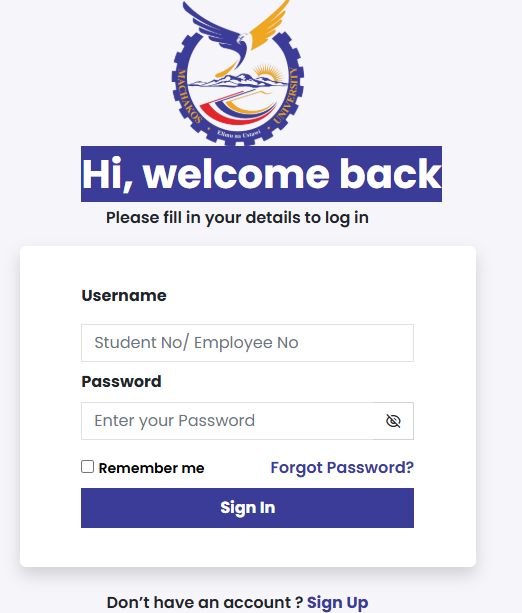
To log in, visit the KCA website, click on the “Study” or “Portals” tab, and select the e-learning link. Enter your student registration number and the password provided by the ICT department.
Costs, Requirements, or Timelines in Kenya
While the university provides the platform, there are external costs and timelines you must follow. Being a student in 2026 means being tech-ready.
Estimated Costs and Key Dates
| Item / Event | Detail | Estimated Cost / Date |
| Data Bundles | Monthly for video classes | KES 2,000 – 3,500 |
| Laptop | Basic refurbished Core i5 | KES 25,000 – 35,000 |
| Unit Registration | Deadline | Usually Week 2 of Semester |
| CAT 1 & 2 | Online via Portal | Weeks 5 and 10 |
| Tech Support | ICT Helpdesk | Available Monday – Saturday |
Step-by-Step Guide: How to Get Started
-
Password Activation: If you are new, visit the ICT office or use the “Forgot Password” link on the portal. Your student email is usually the key.
-
Profile Update: Once you log into the kca virtual campus, update your profile. Add a professional photo so your lecturers can identify you.
-
Find Your Courses: Click on “Dashboard.” You will see a list of units you registered for. If a unit is missing, contact the registrar.
-
Download Course Outlines: Read these first. They tell you when assignments are due and what books you need to read.
-
Join the Discussion: Most units have a “News Forum.” Check this daily for updates from your lecturer.
Common Mistakes to Avoid
-
Missing Deadlines: The portal closes automatically at the set time. If an assignment is due at 11:59 PM, do not try to upload it at 11:58 PM. Internet lag can cause you to miss the mark.
-
Using Public Wi-Fi for Exams: Free Wi-Fi in cafes is often unstable. If the connection drops during a quiz, you might get locked out with a zero.
-
Sharing Passwords: Never give your login to a friend. If they do something wrong on the portal, it is your name on the line.
-
Ignoring the “Submit” Button: Many students upload a file but forget to click the final “Submit” button. Your assignment will stay as a “Draft,” and the lecturer might not grade it.
Future Updates or Trends
Higher education is changing. We are seeing more universities move toward AI-driven learning. According to Nation Africa, Kenyan universities are investing millions in server upgrades to prevent system crashes during exam periods.
In the future, the kca virtual campus might include virtual reality (VR) labs for science and engineering students. This would mean you can do experiments on your computer that used to require a physical lab.
Short Poll Question:
Which feature would you like to see most on the virtual portal?
A) Integrated AI tutor to answer questions 24/7
B) Free data bundles for all students
C) A better mobile app that uses less data
D) More interactive video games for learning
(Answer: Most students currently prefer option B according to local student union surveys).
FAQ Section
Q: Can I use the kca virtual campus when I have a fee balance?
A: Usually, the university allows access for learning, but you might be blocked from seeing your final exam results or registering for new units if your balance is high. Check with the finance office for the current policy.
Q: What should I do if the portal says “Invalid Login”?
A: First, check your Caps Lock key. If it still fails, use the “Lost Password” link. If you do not receive an email, your student email might not be linked correctly. Contact ICT support.
Q: Can I take my final exams on the virtual campus?
A: Some units have online exams, while others require you to go to the Ruaraka or Town campus. Your course outline will state the exam mode for each unit.
Q: Is there a mobile app for the portal?
A: Yes, you can download the “Moodle” app from the Play Store or App Store. After installing, enter the KCA e-learning URL to connect to your classes.
Q: Does the portal work on slow 3G internet?
A: It will work for downloading notes, but you will struggle with video lectures and timed quizzes. A 4G connection or fiber Wi-Fi is highly recommended.
My Experience
When I first started using online learning systems in Kenya, I was skeptical. I missed the social life of hanging out at the university cafeteria. However, I soon realized that the kca virtual campus gave me back something more valuable: time.
I remember a semester where I was juggling a full-time job and three units. Without the portal, I would have dropped out. I used my lunch breaks to read notes and my evenings to participate in forums. I even found that I was more comfortable asking questions in the chat box than I ever was in a crowded lecture hall.
One thing I learned the hard way was to keep a backup of everything. Once, the portal had a brief hiccup while I was typing a discussion post. I lost three paragraphs of work! Now, I always type my work in a separate document first, then copy and paste it into the portal. It’s a small trick that saves a lot of stress.
Between managing my classes and work, I also found that digital platforms are great for other parts of life. For instance, if you are looking for balance in your social life while studying, you might explore the Best Online Dating Platform in kenya to meet like-minded professionals who understand a busy schedule.
Key Takeaways
-
Stay Logged In: Check the portal at least once every 24 hours to stay updated.
-
Hardware Matters: A laptop is a better investment than a high-end smartphone for a student.
-
Internet Strategy: Use “Night Owl” data bundles to download heavy video files if you are on a budget.
-
Backup Everything: Save your assignments on Google Drive or a flash drive before uploading them.
-
Communication is Key: If the system fails, take a screenshot of the error and email your lecturer immediately.
Conclusion
The kca virtual campus is a gateway to a more flexible and modern way of getting your degree. It removes the barriers of distance and time, allowing you to focus on what matters: your education. While technology can sometimes be frustrating, the benefits of online learning far outweigh the occasional login glitch.
As Kenya moves closer to a fully digital economy, as seen in the growth of services on eCitizen Kenya, being proficient in these platforms is a skill you will use long after you graduate.
Have you had any trouble with your portal lately? Or perhaps you have a tip for other students on how to save data? Let us know in the comments below. We would love to hear your story!
Sources and References
-
KCA University Official Website – Primary source for portal links and student news.
-
Kenya National Bureau of Statistics (KNBS) – Data on internet and technology adoption in Kenya.
-
Nation Africa – Updates on the Kenyan education sector and university policies.
-
Business Daily Africa – Information on digital transformation in Kenyan higher education.
-
eCitizen Kenya – Reference for government digital service standards.
-
Statista – Statistics on e-learning growth in Africa.