GHRIS Payslip 2024: Your Ultimate Guide to Accessing & Understanding Your Salary Statement in Kenya
Direct Answer: How to Access Your GHRIS Payslip 2024
Accessing your GHRIS Payslip for 2024 involves a few straightforward steps on the official Government Human Resources Information System (GHRIS) portal. Simply visit www.ghris.go.ke, log in with your Staff Number and password, then navigate to the ‘Payslips’ section to view or download your monthly statements. This ensures you have up-to-date salary information for financial planning and verification purposes.
Introduction to GHRIS Payslip 2024
In the digital age, managing personal finances and employment records has become more accessible than ever, especially for Kenyan civil servants. The Government Human Resources Information System (GHRIS) stands as a cornerstone of this digital transformation, offering a streamlined platform for various HR services, most notably accessing your monthly payslip.
This comprehensive guide will walk you through everything you need to know about the GHRIS Payslip 2024. From secure login procedures to understanding your salary breakdown and troubleshooting common issues, we aim to equip you with the knowledge to confidently manage your GHRIS account. Stay informed, stay secure, and take control of your financial records.
What is GHRIS?
GHRIS, short for the Government Human Resources Information System, is an integrated online platform developed by the Kenyan government. Its primary purpose is to manage human resource functions for all public sector employees efficiently. This includes processing payroll, managing employee records, facilitating promotions, and providing a self-service portal for staff to access their personal information.
Launched to enhance transparency and efficiency, GHRIS has become indispensable for over 800,000 civil servants across various ministries and departments in Kenya. (Source: Ministry of Public Service, Gender and Affirmative Action, 2023).
Why Kenyans Need GHRIS Payslip 2024
For Kenyan civil servants, the GHRIS Payslip 2024 is more than just a salary statement; it’s a critical financial document. It serves multiple vital purposes, making its easy accessibility crucial for personal and professional stability.
- Financial Planning: Detailed breakdown of earnings and deductions helps in budgeting and managing monthly expenses.
- Loan & Credit Applications: Banks and financial institutions frequently require recent payslips as proof of income and employment stability.
- Tax Compliance: Helps individuals verify their Pay As You Earn (PAYE) deductions and overall tax obligations.
- Proof of Employment: Essential for various applications, including visas, housing, or other government services.
- Dispute Resolution: Provides clear documentation in case of salary discrepancies or allowances issues.
Expert Tip: Always download and save your payslips monthly. While GHRIS stores them, having personal copies ensures immediate access even during system maintenance or network issues.
Beyond Payslips: Other GHRIS Self-Service Functions
While accessing the GHRIS Payslip 2024 is a primary use case, the GHRIS portal offers a suite of other self-service functionalities designed to empower public servants:
- Leave Management: Apply for, track, and manage various types of leave directly online.
- Performance Appraisal: Access and track your annual performance appraisal reports.
- Personal Information Updates: Request updates to personal details like contact information or next of kin.
- Training & Development: View available training opportunities and register for courses.
- Pensions & Benefits: Access information related to pension contributions and other employment benefits.
These features collectively enhance the HR experience, reducing bureaucratic hurdles and increasing efficiency for both employees and HR departments.
How to Access Your GHRIS Payslip 2024
Accessing your monthly payslip through the GHRIS portal is straightforward. Ensure you have a stable internet connection and your login credentials readily available.
Requirements for GHRIS Access:
- Staff Number: Your unique identification number as a government employee.
- Password: The password you set during your initial GHRIS registration.
- Internet-Enabled Device: A computer, smartphone, or tablet.
- Reliable Internet Connection: Essential for a smooth experience.
There are no direct costs associated with accessing or downloading your GHRIS Payslip 2024. The service is free for all registered government employees.
Step-by-Step Guide: Downloading Your GHRIS Payslip 2024
Follow these precise steps to successfully access and download your GHRIS payslip for any month in 2024:
- Visit the Official GHRIS Portal: Open your web browser and navigate to the official GHRIS website: www.ghris.go.ke. Be wary of unofficial or phishing sites.
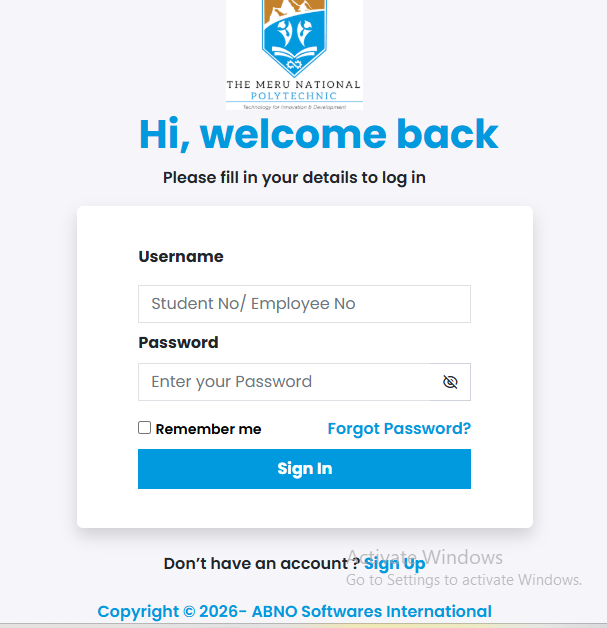
- Enter Login Credentials: On the homepage, locate the login section. Input your correct Staff Number in the username field and your corresponding Password.
- Click ‘Sign In’: After entering your details, click on the “Sign In” or “Login” button to proceed to your dashboard.
- Navigate to ‘Payslips’: Once logged in, look for a menu item or tab labeled “Payslips” or “My Payslips”. This is usually found under a “Self Service” or “Employee Services” section.
- Select Desired Year & Month: Within the payslips section, you will typically find options to filter by year and month. Choose “2024” and the specific month you wish to view.
- View/Download Payslip: Your payslip for the selected period will be displayed. You should see an option, often a button or an icon (like a PDF icon), to “Download” or “Print” your payslip. Click on it to save the document to your device, usually in PDF format.
Confirm the download is complete and that you can open the PDF document successfully. Always remember to log out of your GHRIS account, especially when using a shared or public computer, to protect your personal information.
Common Mistakes & Troubleshooting GHRIS Payslip Access
Even with clear instructions, users sometimes encounter issues. Here are common problems and their solutions when trying to access your GHRIS Payslip 2024:
Incorrect Login Credentials:
- Problem: “Invalid Staff Number or Password.”
- Solution: Double-check your Staff Number for accuracy. If you’ve forgotten your password, use the “Forgot Password” link on the login page. This usually requires your Staff Number and answers to security questions or a linked phone number/email for a reset.
Website Accessibility Issues:
- Problem: GHRIS portal not loading or very slow.
- Solution: Check your internet connection. Try clearing your browser’s cache and cookies, or use a different browser (e.g., Chrome, Firefox, Edge). Sometimes, the server might be busy; try again after some time.
Payslip Not Displaying/Downloading:
- Problem: After selecting the month, the payslip doesn’t appear or download.
- Solution: Ensure your browser’s pop-up blocker is disabled for the GHRIS site. Check your downloads folder for the PDF. If the issue persists, contact your departmental HR or the GHRIS support desk.
Warning: Never share your GHRIS login credentials with anyone, regardless of who they claim to be. The official GHRIS support will never ask for your password via email or phone.
Which GHRIS feature do you use most often besides payslips?
A) Leave Applications
B) Personal Information Updates
C) Performance Appraisals
D) Training Information
Protecting Your GHRIS Data: A Kenyan Civil Servant’s Guide to Digital Security
In an increasingly digital world, the security of your personal and financial information on platforms like GHRIS is paramount. Kenyan civil servants must adopt best practices to safeguard their data against phishing, fraud, and unauthorized access.
Understanding Threats:
- Phishing Scams: Fraudulent emails or SMS messages disguised as official communications, attempting to trick you into revealing login details.
- Malware: Malicious software installed unknowingly on your device, designed to steal data.
- Weak Passwords: Easily guessable passwords make your account vulnerable.
Best Practices for GHRIS Security:
- Use Strong, Unique Passwords: Create complex passwords using a mix of upper and lowercase letters, numbers, and symbols. Avoid using personal information.
- Verify Official URL: Always double-check that you are on the legitimate www.ghris.go.ke before entering your credentials. Look for the padlock icon in the browser address bar.
- Enable Two-Factor Authentication (2FA): If GHRIS offers 2FA (e.g., SMS code or authenticator app), enable it immediately for an added layer of security.
- Be Wary of Suspicious Communications: Do not click on links or download attachments from unsolicited emails or messages claiming to be from GHRIS or your HR department.
- Keep Software Updated: Ensure your operating system, web browser, and antivirus software are always up-to-date.
- Log Out Always: After accessing your GHRIS Payslip 2024 or any other service, always log out of your account.
By taking these proactive steps, you significantly reduce the risk of your GHRIS account being compromised, ensuring your sensitive employment and financial data remains private and secure.
Future Trends: The Evolution of Digital HR in Kenya and GHRIS
The landscape of digital HR in Kenya, spearheaded by systems like GHRIS, is continuously evolving. We anticipate further enhancements that will make accessing the GHRIS Payslip 2024 and other services even more intuitive and robust.
Key Trends to Watch:
- Enhanced Mobile Accessibility: Official GHRIS mobile applications could emerge, offering dedicated, optimized experiences.
- AI and Machine Learning Integration: Potentially used for predictive analytics in workforce planning, or for more intelligent chatbots to assist with common queries.
- Blockchain for Data Security: Exploration of distributed ledger technology to further secure employee records and transaction history, ensuring immutability.
- Integration with Other Government Services: Seamless data exchange with platforms like eCitizen, NHIF, and NSSF for a more unified digital government experience.
These developments aim to align Kenya’s public service with global best practices in digital governance, improving efficiency and employee satisfaction. The ongoing commitment to digitizing government services signifies a bright future for platforms like GHRIS. (Source: ICT Authority Kenya, 2024).
Frequently Asked Questions About GHRIS Payslip 2024
What if I forgot my GHRIS password?
On the GHRIS login page, click the “Forgot Password” link. You will typically be prompted to enter your Staff Number and answer security questions or verify your identity via a registered phone number or email to reset your password.
Can I access GHRIS on my smartphone?
Yes, the official GHRIS portal is generally responsive and can be accessed via a web browser on your smartphone or tablet. Ensure you have a stable internet connection.
Is my GHRIS data secure?
The GHRIS portal employs standard security measures, including HTTPS encryption, to protect user data. However, user vigilance (strong passwords, avoiding phishing) is crucial for overall security.
How far back can I view my payslips on GHRIS?
Typically, GHRIS stores several years of payslip data. The exact duration may vary, but you can usually access historical payslips going back a considerable period, often for the duration of your employment under the system.
Who should I contact for GHRIS technical support in Kenya?
For technical issues, first contact your departmental HR officer. If they cannot resolve it, they will direct you to the dedicated GHRIS support team or the relevant ICT support unit within your ministry or the Ministry of Public Service.
Can GHRIS Payslip 2024 be used for loan applications?
Yes, your downloaded GHRIS Payslip 2024 is an official document and is widely accepted by financial institutions in Kenya as proof of income and employment for loan, mortgage, or credit applications.
Expert Tip: When applying for a loan, ensure your payslip is recent (usually within the last 1-3 months) and sometimes banks may require stamped copies from your HR department.
Conclusion: Mastering Your GHRIS Payslip 2024
Navigating the GHRIS portal to access your GHRIS Payslip 2024 is an essential skill for every Kenyan civil servant. This guide has provided you with the necessary steps, troubleshooting tips, and crucial security advice to ensure a smooth and secure experience. By taking control of your digital HR records, you empower your financial planning and secure your personal data.
Remember, the GHRIS system is designed for your convenience and transparency. Embrace its features, stay informed, and always prioritize the security of your login credentials. For any advanced inquiries or if you encounter persistent issues, do not hesitate to reach out to official support channels. Your financial well-being starts with understanding your payslip.
Looking to explore new connections? Start online dating here: TrueMatch.co.ke/login.
Sources
- GHRIS Official Portal — Government Human Resources Information System, Kenya.
- Ministry of Public Service, Gender and Affirmative Action — Official website for government HR policies and statistics.
- ICT Authority Kenya — Government agency overseeing ICT development and digital transformation.
- Kenya National Bureau of Statistics (KNBS) — Provider of official statistical information in Kenya.