Quick Answer: How to Access the KU Student Portal
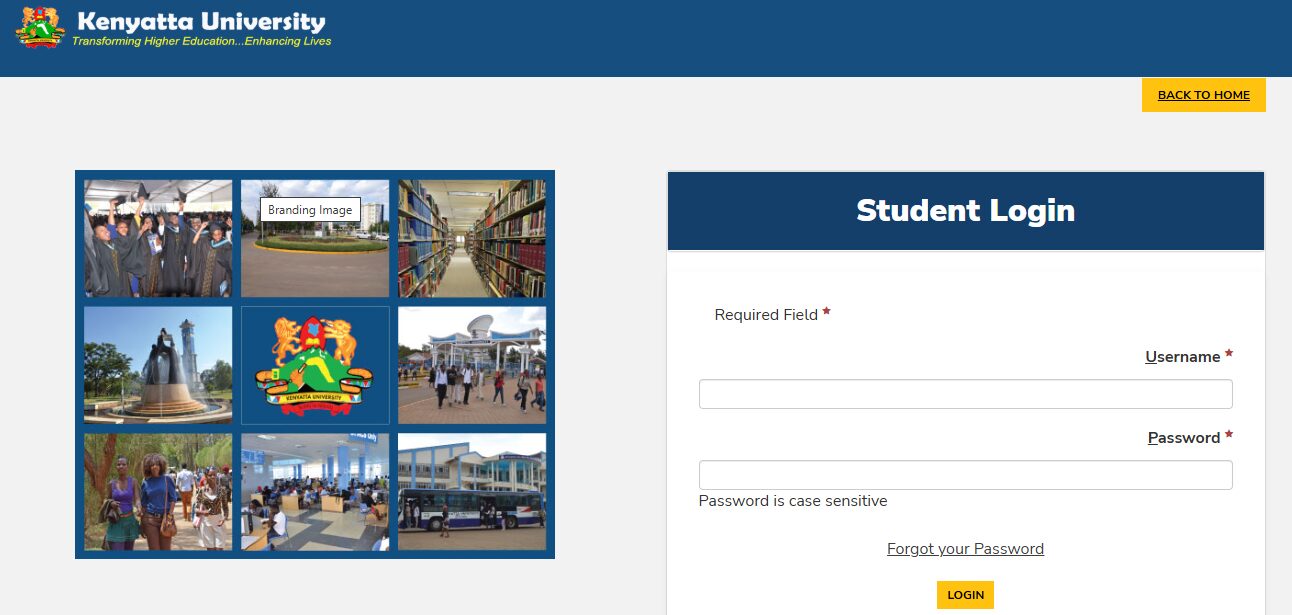
To access the ku student portal (Kenyatta University), visit the official link at portal.ku.ac.ke. For first-time users, you must create an account using your Student ID (the last sequential numbers of your registration number, e.g., 5942/2005). Once registered, log in using your username and password in lower case to register units, check exam results, or manage fee payments via eCitizen.
Introduction
Starting your journey at Kenyatta University (KU) is a proud moment for any Kenyan student. Whether you are at the Main Campus along Thika Road or at the various satellite campuses like Ruiru or Nakuru, staying on top of your academic records is vital. The ku student portal is the central digital hub where all your university business happens.
Gone are the days when you had to walk from one office to another to confirm your fee balance or check your semester grades. Today, the university has integrated its services into a robust online system. This portal is not just for viewing marks; it is your gateway to unit registration, hostel booking, and financial management.
In this guide, we provide a clear walkthrough of how to navigate the portal like a pro. We will cover everything from account creation to the new eCitizen payment system, ensuring you never miss a deadline.
What Is the KU Student Portal?
The ku student portal is a secure web-based platform designed for Kenyatta University students to access essential academic and administrative services. It is powered by the CampusVue system, which ensures that your data—from admission to graduation—is kept in one place.
In Kenya, digital transformation in universities has become a priority. The Kenya National Bureau of Statistics (KNBS) reports that the shift to online student services has greatly improved the efficiency of higher education institutions. For a KU student, the portal is where you prove you are a bonafide member of the “Comrades” community.
Key Portal Details at a Glance
| Feature | Details |
| Official Website | portal.ku.ac.ke |
| User ID Format | Sequential numbers of your Reg. No (e.g., 1234/2024) |
| Main System | CampusVue / Campus Nexus |
| E-Learning Site | kusoma.ku.ac.ke |
| Payment Method | eCitizen (via the specific portal link) |
Why Kenyans Need the KU Student Portal
The portal is designed to solve the common “hustles” of campus life. Here is why every student must master it:
-
Unit Registration: You cannot sit for exams unless your units are registered online. The portal tracks this every semester.
-
Financial Transparency: You can see exactly how your HELB disbursement or private payments have been applied to your account.
-
Result Tracking: Use the “Degree Audit” feature to see which units you have completed and which ones are still pending for graduation.
-
Hostel Applications: For those looking for on-campus accommodation, the portal is where the competitive “room rush” happens.
-
Official Communication: Important memos and semester dates are often reflected in the portal dashboard.
Types of Portals and Systems at KU
Kenyatta University uses a few different platforms for different tasks. It is easy to get confused, so here is a quick breakdown:
1. The Main Student Portal (Campus Nexus)
This is for your “paperwork.” Use this for fees, units, and results. This is the primary ku student portal everyone refers to.
2. KUSOMA (E-Learning Portal)
The KUSOMA platform (kusoma.ku.ac.ke) is where the learning happens. This is the site for the School of Virtual and Open Learning (DSVOL). It contains lecture notes, assignment upload links, and discussion forums.
3. The Admission Portal
Mainly for “freshers” and applicants. This is where you download your admission letter and upload your joining instructions before you get a full registration number.
How to Access the KU Student Portal Correctly
Accessing the portal for the first time requires careful attention to detail. Follow this checklist to ensure you don’t get locked out.
Access Checklist:
-
[ ] Full Registration Number (e.g., C01/1234/2024).
-
[ ] A valid personal email address.
-
[ ] Your National ID or Birth Certificate number.
-
[ ] Knowledge of your “Place of Birth” (used for password recovery).
Step-by-Step Guide: How to Get Started
-
Visit the Link: Go to portal.ku.ac.ke.
-
Create Account: If you are new, click “New Account Creation.”
-
Enter Student ID: Enter only the sequential part of your number (e.g., if your number is A123/4567/2024, enter 4567/2024).
-
Security Details: Enter your name and place of birth exactly as they appear in your records.
-
Set Password: Choose a strong password. Note that for subsequent logins, usernames and passwords are case-sensitive.
Costs, Requirements, and Timelines in Kenya
Using the portal is free, but the deadlines it manages are strict. Missing a unit registration deadline can lead to a “forced” semester off.
Important Semester Timelines
| Activity | Deadline | Requirement |
| Unit Registration | Within first 3 weeks | Minimum fee payment (usually 50%) |
| Room Booking | Before semester starts | Active student status |
| Fee Payment (100%) | By week 10 | Payment via portal eCitizen link |
| Exam Card Printing | 2 weeks before exams | Zero fee balance |
For payments, Kenyatta University has moved to the eCitizen system. You should follow the link under “My Finances” in your portal rather than using a general Paybill. This ensures the money reflects automatically in your account. This shift is part of the government’s plan to centralize all university payments as highlighted by Business Daily Africa.
Common Mistakes to Avoid
Avoid these common errors to keep your academic life running smoothly:
-
Using the Full Reg. No as Username: Remember to omit the first part (the school/course code) when creating your account. Use the number/year format.
-
Direct eCitizen Paybill 222222: Do not just pay to the general Paybill. Use the link provided in the ku student portal under “My Finances” to generate a unique invoice.
-
Forgetting the Security Question: Your “Place of Birth” is your key to recovering a forgotten password. Make sure you remember what you entered during registration.
-
Last-Minute Registration: The system often slows down on the last day of registration due to high traffic. Aim to register your units in the first week.
Future Updates or Trends
Kenyatta University is working to integrate more AI-driven features into the portal to help with “Degree Audits.” This will allow students to see exactly what they need for graduation without visiting the registrar. According to TechCrunch Africa, Kenyan universities are leading the way in adopting “EdTech” to manage large student populations.
Poll Question:
Which portal feature do you find the most difficult to use?
-
Unit Registration
-
eCitizen Fee Payment
-
Result Viewing
-
Hostel Booking
FAQ Section
Q: What is my username for the KU student portal?
A: Your username is the last part of your registration number (e.g., 1234/2024).
Q: How do I check my marks?
A: Log in and navigate to Academics > Degree Audit > Course List. This will show your graded units and your cumulative GPA.
Q: I have paid fees, but it is not reflecting on the portal. What should I do?
A: If you used the portal’s eCitizen link, it should reflect within 24 hours. If not, take your M-Pesa confirmation message to the Finance office at the Administration block.
Q: Can I register units on my phone?
A: Yes, the portal is mobile-friendly. However, for a better view of the “Degree Audit” table, using a laptop or tablet is recommended.
My Experience
When I first joined KU, I was confused by the different login formats. I kept trying to use my full registration number and getting an “Invalid User” error. It was only after a friendly fourth-year student at the ICT building explained the number/year format that I finally got in.
I also remember the stress of unit registration. I once forgot to click “Submit” and only realized it a week before exams! I had to go through a long process of “late registration” which involved paying a fine. Since then, I always double-check my “Registered Units” list as soon as the semester starts.
University life is about learning systems. Once you master the ku student portal, everything else becomes easier. If you are looking for a break from all the studying, you might want to explore the Best Online Dating Platform in kenya to meet fellow students and young professionals.
Key Takeaways
-
Portal URL: portal.ku.ac.ke is the only official site for admin tasks.
-
Login ID: Use the sequential part of your registration number (e.g., 5555/2024).
-
Fees: Always use the link inside the portal to pay via eCitizen.
-
Results: Check “Degree Audit” regularly to track your graduation progress.
-
Security: Never share your portal password with anyone, especially in public cyber cafés.
Conclusion
The ku student portal is a vital tool for every Kenyatta University student. By understanding how to create an account, register units, and manage your fees, you take full control of your academic life. The university has made great strides in making these services accessible, so make sure you use them to stay organized.
Don’t wait until exam week to realize your units aren’t registered or your fees haven’t reflected. Log in today and verify your status. If you found this guide helpful, or if you have any questions about the login process, feel free to leave a comment below!
Sources and References
-
Business Daily Africa – On University eCitizen payments.
Poll Answer:
Most students find Hostel Booking (4) the most difficult due to the high demand and limited slots!
Would you like me to help you generate a step-by-step PDF guide for your student group, or should we look at how to reset your KU email password next?