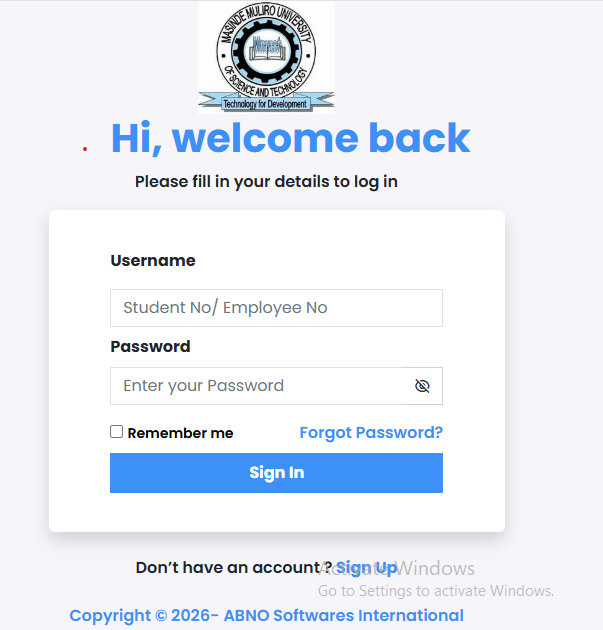
How to Access the MMUST Student Portal
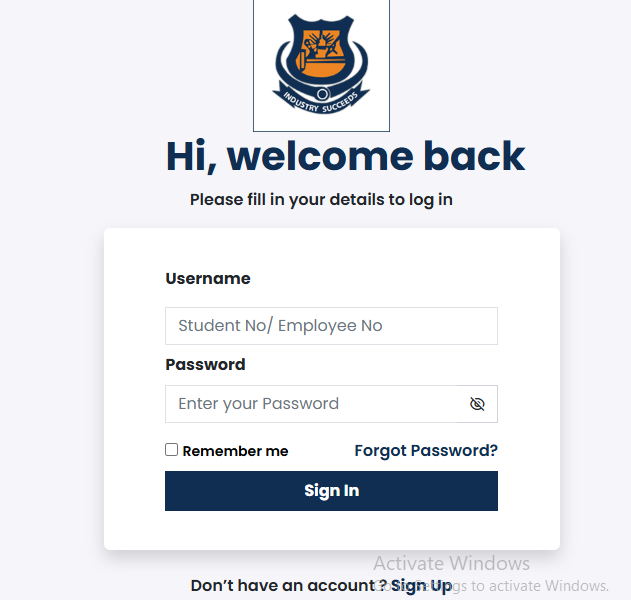
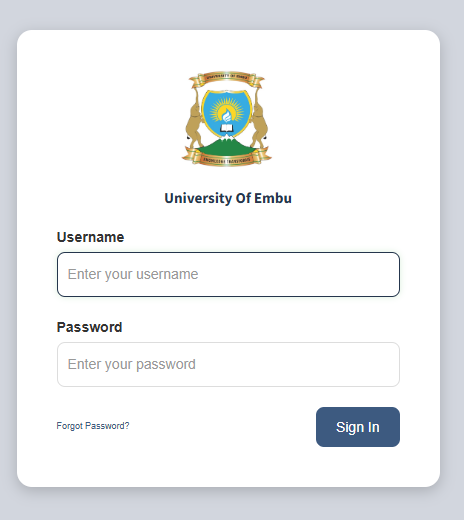
To access the mmust student portal, visit the official link at portal.mmust.ac.ke or mmust.mycportal.com. Use your Student Email Address as your username and your national ID number or the default password Password@123 to log in. Once inside, you can register for units, pay fees, and check your exam results.
Introduction
University life in Kenya is exciting, but the paperwork can be a headache. If you are a student at Masinde Muliro University of Science and Technology, your academic life revolves around one digital hub: the mmust student portal.
Whether you are a “fresher” trying to download your admission letter or a final-year student checking for graduation clearance, the portal is where everything happens. Gone are the days of lining up for hours outside the registrar’s office just to confirm your fee balance. Today, a few clicks on your smartphone can save you a trip to Kakamega.
However, technology can be tricky. Sometimes the system is slow, or you might find yourself locked out because you forgot a password. This guide is written to help Kenyan students, parents, and guardians navigate the portal with ease. We will break down the steps for login, unit registration, and even how to pay fees using M-Pesa.
What Is the MMUST Student Portal?
The mmust student portal is a secure web-based platform designed for students to manage their academic and financial records. It acts as the bridge between the student and the university administration.
In Kenya, universities are moving toward “paperless” systems to improve efficiency. For MMUST, this portal is the official way to communicate grades, financial statements, and reporting status. Without accessing this system, you cannot be officially “reported” for a semester, which means you won’t appear on the class list.
Key Features of the Portal
| Feature | Function |
| Unit Registration | Select and confirm the subjects you are taking. |
| Fee Management | View balances, generate invoices, and make payments. |
| Academic Records | View transcripts and provisional exam results. |
| Clearance | Apply for graduation or leave of absence. |
| Hostel Booking | Secure a room in the university hostels. |
Why Kenyans Need the MMUST Student Portal
Digital portals are no longer a luxury in Kenya; they are a necessity. Here is why the MMUST system is so important:
-
Transparency: Parents can easily check if the school fees they sent were actually paid to the university.
-
Accuracy: It reduces errors in exam grading because marks are entered directly into the system.
-
Convenience: You can register for units from anywhere in Kenya—be it Nairobi, Kisumu, or a small village in Bungoma.
-
HELB Integration: Your portal data is often used to verify your status when applying for HELB loans or scholarships.
Types of Portals at MMUST
Masinde Muliro University uses a few different digital links depending on what you need to do. It is important to know which one to use.
1. The Main ERP Student Portal
This is the primary site (portal.mmust.ac.ke) used by continuing students. It handles daily tasks like unit registration and fee viewing.
2. The Admission Portal
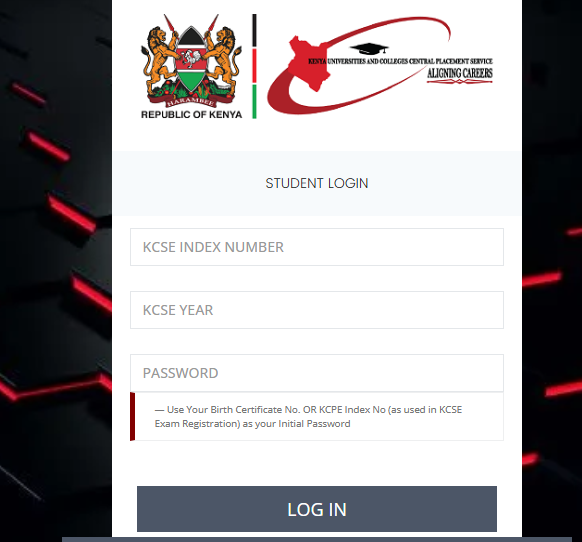
For new students who have just been placed by KUCCPS, the admission portal (application.mmust.ac.ke) is the first stop. This is where you download your admission letter and upload your primary and secondary school certificates.
3. The E-Learning Portal
While the student portal manages your “admin” life, the E-learning portal is where the actual teaching happens. You use this to access lecture notes and submit assignments online.
How to Use the MMUST Student Portal Correctly
Using the portal is simple if you have the right credentials. Follow this checklist to ensure you don’t get stuck.
Access Checklist:
-
[ ] A working Student Email (e.g.,
name@student.mmust.ac.ke). -
[ ] Your Registration Number (e.g.,
ABC/01-0000/2025). -
[ ] A stable internet connection (Safaricom or Airtel 4G recommended).
-
[ ] Cleared fee balance (Some features lock if you owe money).
Costs and Requirements for MMUST Students
While the portal itself is free to use, it is the gatekeeper for your financial obligations. According to data from the Kenya National Bureau of Statistics (KNBS), the cost of higher education is a significant part of Kenyan household budgets.
Common Administrative Fees at MMUST
| Item | Estimated Cost (KES) | Frequency |
| Tuition Fee | Varies by Course | Per Semester |
| ICT Levy | 5,000 | Annually |
| Medical Fee | 1,500 | Annually |
| Activity Fee | 1,000 | Annually |
| Caution Money | 1,000 | Once (Refundable) |
Step-by-Step Guide: How to Get Started
Follow these steps to log in and register for your units for the first time.
-
Visit the Website: Open your browser and go to
portal.mmust.ac.ke. -
Enter Username: Your username is usually your official student email address.
-
Enter Password: For first-time users, use
Password@123or your National ID number. -
Complete Profile: The system will ask you to upload a passport-sized photo and update your “Next of Kin” details.
-
Official Reporting: Look for the “Reporting” tab. Click “Report Officially” to show the university you are active this semester.
-
Unit Registration: Go to the “Course Registration” menu. Select your units based on your department’s guide and click “Submit.”
-
Generate Invoice: If you need to pay fees, go to the “Finance” or “My Fees” tab and click “Generate Invoice.”
Common Mistakes to Avoid
Many students face “System Errors” that are actually caused by simple mistakes.
-
Using the Wrong Link: Always ensure you are on the official
.ac.kedomain. Avoid third-party sites that ask for your password. -
Forgetting to “Report”: Many students pay fees and attend classes but forget to click “Report” on the portal. If you don’t report, you won’t get exam results.
-
Waiting Until the Last Minute: The mmust student portal often gets slow during the final week of registration. Try to finish your registration in the first two weeks of the semester.
-
Ignoring the Student Email: Your personal Gmail is not for the portal. Use the university-provided email to avoid login issues.
Future Updates and Digital Trends
Digital education in Kenya is changing fast. The Business Daily Africa reports that more universities are integrating AI to help students track their academic progress. We expect the MMUST system to eventually include a “degree audit” feature that tells you exactly which units you need to graduate.
Quick Student Poll:
Which portal feature do you use most often?
A) Checking Exam Results
B) Registering Units
C) Paying Fees via M-Pesa
D) Booking Hostels
(Note: There is no right or wrong answer—just share your experience in the comments!)
FAQ Section
Q: How do I reset my MMUST portal password?
A: Click on the “Forgot Password” link on the login page. Enter your student email. A reset link will be sent to your inbox. If you don’t have access to your email, visit the DICTS office (ICT department) at the main campus.
Q: Can I pay fees via M-Pesa?
A: Yes. MMUST uses the PesaFlow system. On your portal, generate an invoice, select “Pay via M-Pesa,” and follow the prompts. You will receive an STK push on your phone to enter your PIN.
Q: My portal says “Not Reported,” but I have paid fees. Why?
A: Paying fees is step one. Step two is logging in and clicking the “Report Officially” button. If you have done this and it still shows “Not Reported,” visit the Finance office to ensure your payment has been “pushed” to your portal.
Q: Where do I find my admission letter?
A: For new students, log into the admission portal (application.mmust.ac.ke) using your KCSE Index Number and the year of the exam (e.g., 123456789/2025).
My Experience
I remember helping a friend from Kakamega who was convinced the portal had “swallowed” his fees. He had paid via a bank agent but couldn’t see the balance on his screen. We spent hours worrying before we realized he hadn’t clicked the “Update” button on his financial statement.
Once we clicked that small button, the balance updated instantly. It taught me that while the mmust student portal is powerful, you have to be very careful with every click. It is also a good idea to keep your personal life balanced while studying. If you are looking for a way to meet new people outside of the lecture halls, you might want to check out the Best Online Dating Platform in kenya. A little bit of social life makes the hard work of university much easier!
Key Takeaways
-
Stay Updated: Log in at least once a week to check for new announcements.
-
Security First: Never share your portal password with friends or cyber café attendants.
-
Clearance: Ensure you are “Reported” every semester to avoid missing out on exams.
-
Print Everything: Always download and save a PDF copy of your fee statements and registered units for your own records.
Conclusion
The mmust student portal is a vital tool that makes university life manageable. By following the steps in this guide, you can handle your registration, fees, and results without the stress of long queues. Remember, your academic journey is easier when you stay organized digitally.
If you are having trouble with a specific part of the portal, don’t suffer in silence. The university’s ICT team is there to help. You can also reach out to the Kenya Revenue Authority (KRA) if you have issues with your KRA PIN during registration.
Have you had a good or bad experience with the portal? Let us know in the comments below! Your tip might help a fellow student.
Sources and References
-
Kenya National Bureau of Statistics (KNBS) – Data on education trends in Kenya.
-
Business Daily Africa – Reports on university digitalization.
-
eCitizen Kenya – Government services and student integrations.
-
Masinde Muliro University Official Website – Technical guides and portal links.
-
Nation Africa – Education sector news and updates.
Poll Answer Key:
There are no “correct” answers to the poll, but most Kenyan students find the “Paying Fees” and “Checking Results” features the most important.