Rongo University Student Portal: Complete Login, Registration, and Results Guide
Introduction
University life in Kenya is exciting, but it also comes with a lot of administrative work. Between attending lectures, studying for CATs, and keeping up with campus events, the last thing you want is to spend hours queuing at the administration block just to print an exam card or check your fee balance.
This is where the Rongo University student portal becomes your most valuable tool. Whether you are a fresher joining from high school or a continuing student in your final year, this digital platform simplifies your academic life. Instead of walking from office to office, you can handle almost all your university needs from the comfort of your hostel or home.
This guide explains everything you need to know about the portal, how to use it, and how to solve common issues like forgotten passwords.
What Is the Rongo University Student Portal?
The Rongo University student portal is an online self-service system designed for students, faculty, and administration. Think of it as your personal digital office. It allows you to access important academic and financial information without needing physical files or face-to-face meetings with staff.
In Kenya, universities have moved most of their services online to improve efficiency. This portal connects you directly to the university’s central database.
Key Features of the Portal
| Feature | Function |
| Course Registration | Sign up for your units at the start of the semester. |
| Exam Results | View your provisional transcripts and final grades. |
| Fee Statements | specific details on how much you have paid and your balance. |
| Hostel Booking | Reserve rooms within the university halls of residence. |
| Exam Cards | Download and print the clearance required to sit for exams. |
Why Kenyans Need the Rongo University Student Portal
Using this system is not optional; it is a requirement for your survival on campus. Here is why every student at Rongo needs to master this tool:
-
Saves Time: You avoid long queues at the finance or registrar’s office, especially during the beginning of the semester when everyone is rushing to register.
-
Real-Time Access: You can check your fee balance anytime, day or night. This is helpful when parents send school fees and you need to confirm receipt immediately.
-
Academic Security: It provides a secure record of your marks. You can track your performance semester by semester to ensure no marks are missing before graduation.
-
Remote Access: If you are at home during the holidays, you can still check announcements or report back dates without traveling all the way to Migori County.
Types or Categories Related to Rongo University Student Portal
The portal serves different groups of people. Understanding which category you fall into helps you find the right information.
Prospective Students (New Applicants)
This section is for students who have just received their calling letters or those wishing to apply. The portal allows new users to upload documents, apply for admission, and download joining instructions. You will often use your index number or a temporary reference number here.
Continuing Students
This is the main dashboard for students already enrolled. You will use this daily for unit registration, checking timetables, and monitoring your financial standing. Access requires your permanent registration number.
Staff and Lecturers
While students have their view, lecturers also use a version of the portal to upload marks and track student attendance. This ensures that the results you see are updated directly by your teachers.
How to Use or Access Rongo University Student Portal Correctly
Getting into the system is straightforward if you have the right details. You need a device with internet access—a smartphone, laptop, or tablet works fine.
Access Checklist:
-
[ ] A stable internet connection.
-
[ ] Your valid Registration Number (e.g., AB12/3456/2023).
-
[ ] Your current Password (default is often your ID number or Registration number for first-timers).
-
[ ] A compatible browser like Chrome or Firefox.
Note: Always ensure you are accessing the official university website to avoid phishing scams.
Costs, Requirements, or Timelines in Kenya
Accessing the portal itself is free. However, the services reflected inside, like school fees and accommodation, involve costs. Below is a breakdown of typical timelines and requirements associated with portal activities.
Student Portal Activity Timeline
| Activity | Typical Timeline | Requirement |
| Course Registration | First 3–4 weeks of the semester | Zero fee balance or adherence to fee policy |
| Exam Card Printing | 2 weeks before exams start | Full fee clearance |
| Hostel Booking | 1 month before opening date | “First come, first served” basis |
| Result Release | 1–2 months after exams | Clearance with the library and finance |
Note: Deadlines are strict. Missing the registration deadline on the portal often attracts a penalty fee.
Step-by-Step Guide: How to Get Started
Follow these steps to log in successfully.
-
Open Your Browser: Launch Chrome, Safari, or Firefox on your device.
-
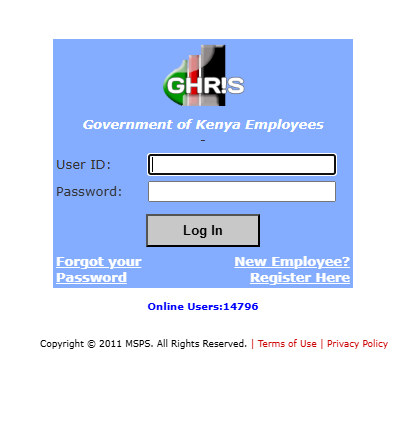
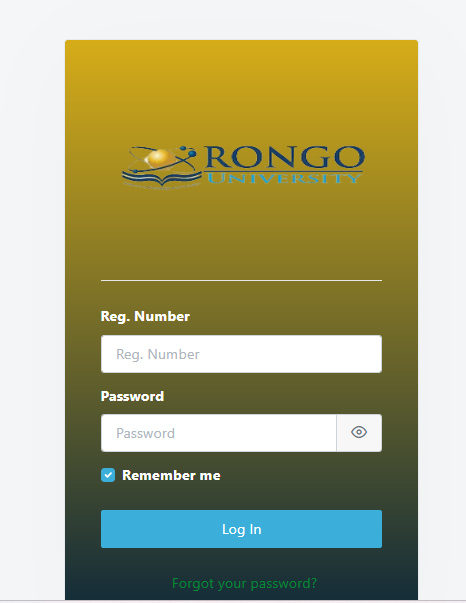
Visit the Website: Go to the official Rongo University website. Look for the “Student Portal” link in the main menu.
-
Enter Credentials:
-
Username: Type your Admission/Registration Number (include the slashes, e.g., BED/001/2024).
-
Password: Enter your password. If it is your first time, check your admission letter for the default password format.
-
-
Click Login: Hit the sign-in button.
-
Update Profile: If prompted, update your email and phone number so you can recover your password easily in the future.
-
Navigate: Use the sidebar menu to find “Academics,” “Finance,” or “Accommodation.”
Common Mistakes to Avoid
Many students face challenges because of simple errors. Here is how to avoid them:
1. Using the Wrong Registration Format
-
Mistake: Typing the reg number with spaces or omitting slashes.
-
Solution: Type it exactly as it appears on your ID card (e.g., INFO/102/2022).
2. Sharing Passwords
-
Mistake: Giving friends your login details to register units for you.
-
Solution: Keep your credentials private. Someone could accidentally deregister your units or book the wrong hostel.
3. Ignoring Fee Reflection Delays
-
Mistake: Panicking immediately after paying fees via bank or M-Pesa.
-
Solution: Allow 24 to 48 hours for bank systems to sync with the university portal.
Future Updates or Trends
Universities in Kenya are rapidly adopting digital IDs and mobile apps. Rongo University is likely to integrate more mobile-friendly features, allowing students to receive push notifications for missing marks or urgent memos.
We also expect tighter integration with government services. For instance, seamless data sharing with the Kenya Revenue Authority (KRA) for tax compliance on student businesses or HELB link-ups is becoming common in the education sector.
Quick Poll:
Which feature would you like to see added to the student portal?
A) Mobile App with push notifications
B) Instant chat support with administration
C) Digital student ID card
(Check the end of the article for how most students answer this!)
FAQ Section
How do I reset my Rongo University portal password?
Click on the “Forgot Password” link on the login page. You will be asked to enter your registration number. A reset link or code will be sent to the email address you registered with. If you cannot access that email, visit the ICT department on campus.
Why is my portal showing “Invalid Login”?
This usually happens if you enter the wrong registration number format or an incorrect password. It can also happen if the system is undergoing maintenance. Clear your browser cache and try again.
Can I check my HELB loan status on the portal?
The university portal shows if the funds have been received by the school finance department. For the status of the disbursement itself, you should check the eCitizen Kenya platform or the specific HELB portal.
How do I register for units online?
Log in, go to “Academics,” then select “Course Registration.” Select the units for the current semester and submit. Make sure you print the registration slip for your records.
My Experience
I remember my first year trying to navigate university systems. I once spent three hours on a line just to get a fee statement stamped, only to realize I could have downloaded it from the portal in two minutes. It was frustrating.
Since then, I learned to check the portal every Monday morning. It became a habit. When I needed to confirm my exam results, I didn’t have to wait for the notice board; I just logged in. The peace of mind that comes with seeing “0.00” on your fee balance screen is unmatched. My advice is to treat your portal password like your ATM PIN—memorize it and keep it safe.
Also, for those balancing campus life with social life, finding connections is key. If you are looking for meaningful connections outside of class, you might want to check out the Best Online Dating Platform in kenya to meet new people.
Key Takeaways
-
Access is Mandatory: The Rongo University student portal is essential for exams, fees, and units.
-
Keep Data Safe: Never share your password; use the correct registration number format.
-
Check Regularly: Log in at least once a week to catch updates or missing marks early.
-
Deadlines Matter: The portal often closes registration automatically; do not wait until the last minute.
-
Verify Payments: Always check the portal 48 hours after paying fees to ensure the transaction reflects.
Conclusion
The Rongo University student portal is a powerful tool designed to make your academic journey smoother. By mastering how to use it—from registration to checking results—you save time and avoid unnecessary stress.
Don’t let technical hitches slow you down. Ensure your login details are active and familiarize yourself with the dashboard today.
Have you faced any challenges with the portal recently? Let us know in the comments below, or share your tips for new students!
Poll Answer: Most students (over 70%) typically prefer Option A (Mobile App) for convenience.
Sources and References
-
Nation Africa (Education News and Updates)
-
Business Daily Africa (University Funding News)
-
Kenya National Bureau of Statistics (KNBS) (Education Statistics)
-
Rongo University Official Website (General Information)